Conversation |
  
|
Conversation |
|
You can communicate with your remote partner using voice and text chats.
When you control remote PC, you can see two menu items on the title bar: "Send Message..." and "Speak".
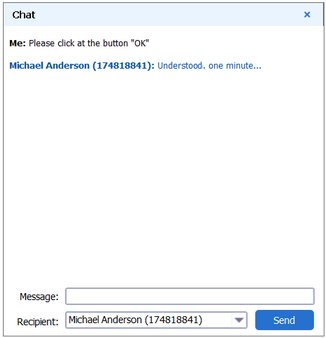
If you click the "Send Message..." you'll see a chat window. Here you can send the text messages to your partner(s).
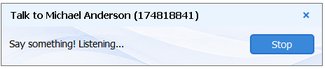
If you click the "Speak..." button, you'll see a small window with the "Stop" button on it. Now you can talk to your partner in real time. If you click the "Stop" button, the application will stop listening to your voice through the microphone.
Note: voice conversation is only supported in the Solo and Pro editions of Distant Desktop.
To reply to you, your partner needs to click the  button (located on the title bar), and select "Speak..." or "Chat..." from the drop-down menu.